How to type Ö, Ğ, Ş, Ç on a keyboard and phone
Four ways to type the four new Uzbek letters on Android, iPhone, Windows and Mac — or let Alfavit type them for you.
- 1
Install the Alfavit keyboard layout (Mac and Linux)
Hold Option on a Mac, or AltGr on Linux, and press o, g, s or c for ö, ğ, ş or ç; with the apostrophe key it types ʼ. Every other key stays where it is, nothing runs in the background, and nothing you type leaves your computer.
Get the layout → - 2
Copy the letters from this page
Tap a letter above to copy it, then paste it where you write. Handy for a name, a heading or a form field.
- 3
iPhone and Android
Add the Turkish keyboard (iOS: Settings → General → Keyboard → Keyboards; Android: Gboard → Languages). Ş, ç, ö and ğ are on it directly, and long-pressing s, c, o and g shows them too. Watch the i: the key where it usually sits types a dotless ı, the dotted i is right of ş, and a capital I is Shift plus the usual key. One more catch: it also brings Turkish autocorrect and predictions, which will fight Uzbek words. Turn auto-correction off while you write Uzbek (iOS: Settings → General → Keyboard; Gboard: Settings → Text correction), or keep typing the old way and convert afterwards.
- 4
Windows
Add the Turkish Q keyboard (Settings → Time & Language → Language & region → Add a keyboard) and use the same keys: ğ on [, ş on ;, ö on , and ç on the . key. Watch the i: the I key types a dotless ı here, the dotted i is on the ' key right of ş, and Shift+I still gives a capital I. In Word, type 015f then Alt+X for ş and 011f then Alt+X for ğ. With a numeric keypad, Alt+0246 gives ö and Alt+0231 gives ç.
- 5
Mac
On the U.S. layout, Option+U then O gives ö and Option+C gives ç. For ş and ğ add the Turkish Q input source (System Settings → Keyboard → Input Sources): ğ sits on the [ key, ş on ;, ö on , and ç on the . key. As on Windows, the I key types a dotless ı and the dotted i is on the ' key. The Character Viewer (Control+Command+Space) also has all four.
- 6
Or let Alfavit type them
Keep typing the old way and convert: the Windows and Mac apps convert as you type, anywhere on your computer; the web converter, Telegram bot and Chrome extension convert pasted or selected text.
A layout proposal reported in September 2026 places Ö, Ğ, Ş and Ç on punctuation keys that are unused in Uzbek; it has not been published. Until it is, Alfavit’s layout adds the letters without moving a key, and Turkish Q works if you would rather not install anything. Alfavit will ship the official placement as soon as it is published.
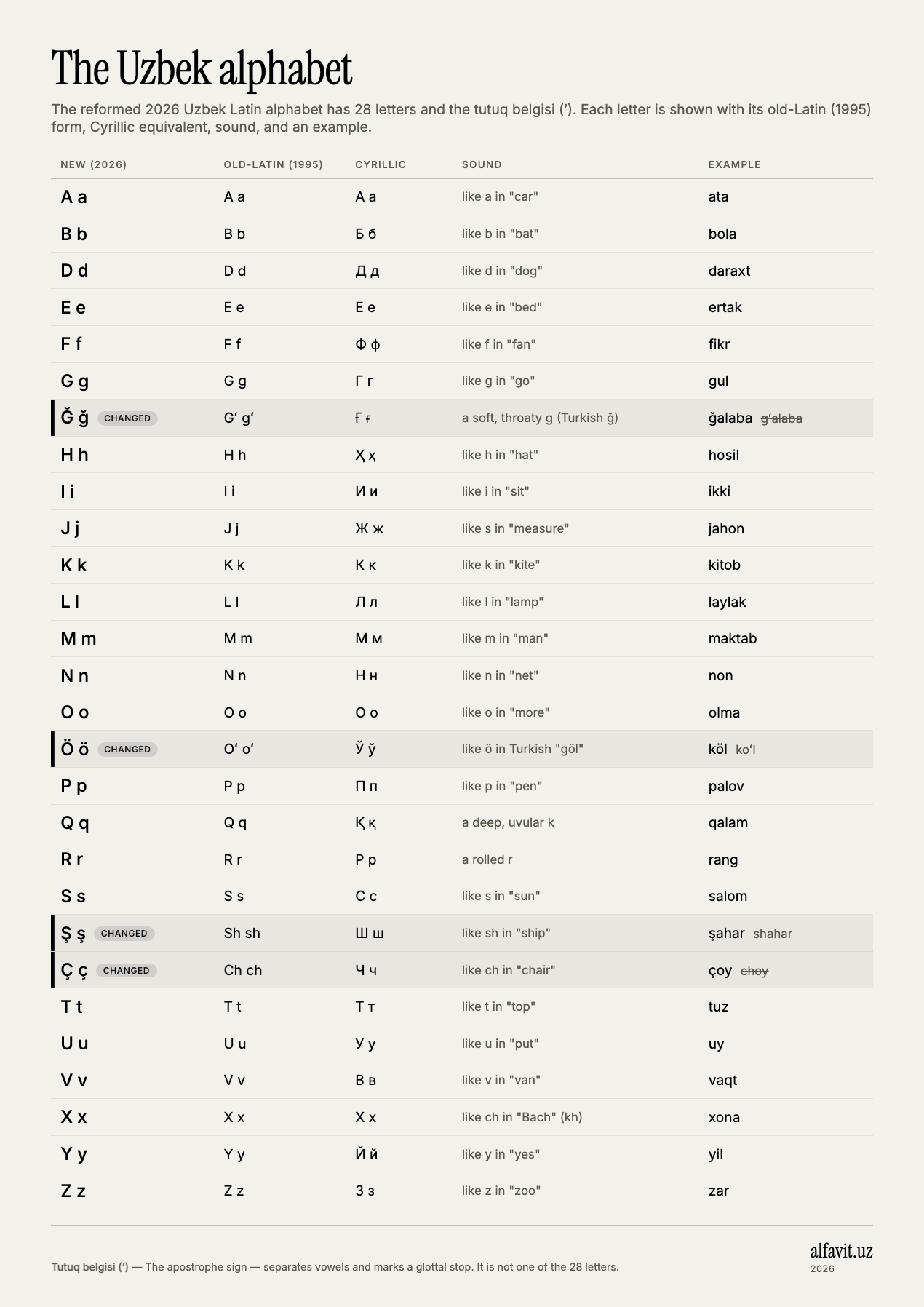
Uzbek alphabet chart (picture and PDF) — download